71 Wh 14.4 V Battery for Asus A42N1608
$89.99 $108.89
Free and fast shipping + 1 year warranty + 30 day money back!
Availability : In stock
Battery Type : Li-ion
Voltage : 14.4 V
Capacity : 71 Wh
Color : Black
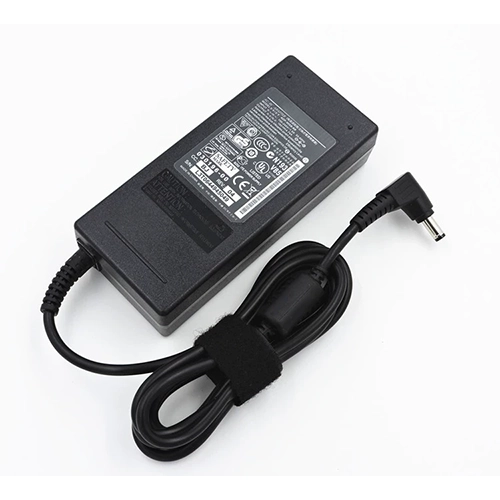
AC Adapter for Asus A42N1608
- $ 38.56 45.89
- High Quality replacement A42N1608 adapter includes AC Power Cord , 100-240VAC 50/60Hz , Over Voltage Protection, Short Circuit Protection, Over Current Protection !
-
-
-
Availability : In stock
Description
| A42N1608 battery specifications |
| Availability: | In stock |
| Battery Type: |
Li-ion |
| Capacity: |
71 Wh |
| Voltage: |
14.4 V |
| Useful Life: |
300-500 recharges |
| The condition of the product: |
Band New |
| Warranty: |
12 Months |
Compatible Asus Laptop Models:
- Asus Rog G800VI
- Asus Rog GX800VH
- Asus Rog GX800VH
- Asus Rog GX800VHK
Compatible Asus Part Numbers:
Welcome to our HP-BATTERY, your one-stop shop for the highest quality HP laptop batteries. Our brand new 71 Whreplacement Asus A42N1608 Li-ion battery is designed to ensure optimal performance, constructed with high-grade cells from Samsung, LG, and Panasonic. The battery pack's casing is made of non-flammable and extremely robust plastic that is both fire-resistant and durable when dropped from low heights.
This Asus A42N1608 battery features top-of-the-line Li-ion cells from Samsung, known for their superior performance and reliability. When choosing a rechargeable battery, it's important to consider its mAh (milliamp-hour) rating or Whr (watt-hour) capacity. This HP battery has a rating of 71 Wh and 14.4 V , indicating a longer run time before needing to be recharged.
We stand behind the quality of our batteries with a full 1-year warranty, and each A42N1608 battery undergoes thorough testing and charging before shipping. If for any reason you're not completely satisfied with your purchase, we offer a 30-day money-back guarantee. And if our product fails within the first 30 days, we'll cover all shipping expenses for a replacement.
Asus A42N1608 Battery use and maintenance:
- After getting the Asus A42N1608 battery, please install the battery correctly, make sure that the battery connector is firmly connected to the laptop motherboard, and start charging the laptop. Discharge the new battery to 5% (not 0%), then charge and cycle 3-4 times to wake up the new battery.
- Remember not to discharge the battery to 0%, otherwise the battery will be easily damaged.
- After the Asus A42N1608 battery is exhausted, please charge it in time. If it is not charged for a long time, the battery may be damaged.
- If the battery is not used for a long time, it needs to be charged to more than 70% for storage. The storage time should not exceed 3 months.
- If you often use it with a charger, please use the battery power regularly and use it more than once a week.
- Please use original chargers. Inferior chargers will affect the normal charging of the A42N1608 battery.
- Regularly clean the fan dust to increase the heat dissipation effect and reduce power consumption, which can effectively extend the Asus A42N1608 battery life.
Bestsellers
-
$ 85.56
-
$ 84.99
-
$ 91.69
-
$ 121.58
-
$ 89.25
-
$95.69
-
$ 69.98
-
$98.58