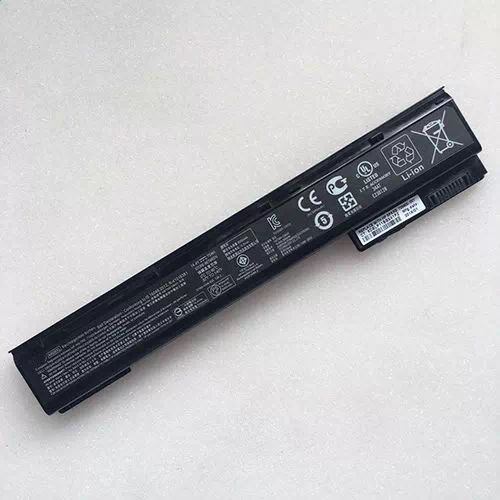
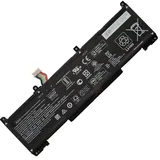
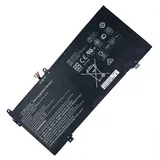
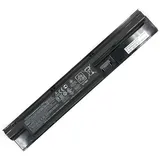
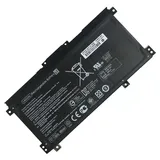
Battery for HP 707615-221 75Wh 14.4V
- $ 74.85 $97.31
- Free delivery + 1-Year Warranty + 30 day money back!
-
-
Availability : In stock
Battery Type : Li-ion
Voltage : 14.4V
Capacity : 75Wh
Color : Black
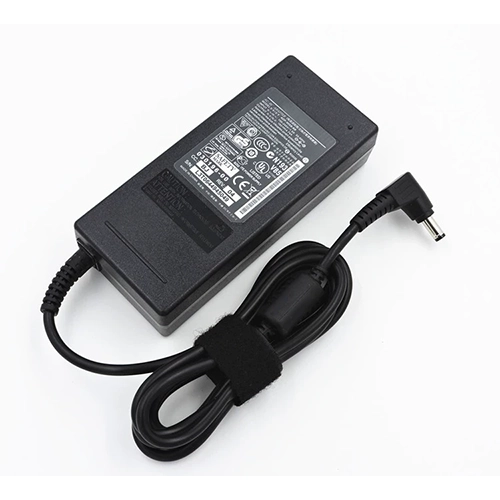
Charger & Adapter for HP 707615-221
- $40.56 $45.89
- Overvoltage and Overcurrent Protection Circuits built in ages your equipment !
-
-
Availability : In stock
Description
| HP 707615-221 battery Specifications |
| Availability: | In stock |
| Battery Type: |
Li-ion |
| Capacity: |
75Wh |
| Voltage: |
14.4V |
| Color: |
Black |
| The condition of the product: |
Band New |
| Guarantee: |
12 Months |
The HP 707615-221 Battery packs isn't charging. What's the deal?
New hp 707615-221 battery packs is shipped in a discharged condition and must charged before use. We generally recommend an overnight charge (approximately twelve hours). Refer to the user's manual for charging instructions. Rechargeable hp laptop batteries should be cycled - fully charged and then fully discharged - two to four times initially to allow them to reach their full capacity. (Note: it is normal for a hp 707615-221 battery packs to become warm to the touch during charging and discharging).
New hp laptop batteries are hard for the device to charge; they have never been fully charged and are therefore "unformed". Sometimes the device's charger will stop charging a new hp 707615-221 battery packs before it is fully charged. If this happens, remove the battery from the device and then reinsert it. The charge cycle should begin again. This may happen several times during the first battery charge. Don't worry; it's perfectly normal.
What are the Recommended HP 707615-221 Battery Care Practices?
Recommendations for battery usage and storage are included in the user guide for your computer. Additional battery care practices are as follows:
- Store batteries for 707615-221 between 20°C and 25°C (68°F and 77°F) with 80 - 90% charge.
- Do not disassemble, crush, or puncture a battery and do not short the external contacts on a battery.
- Do not leave batteries exposed to elevated temperatures for extended periods. Prolonged exposure to heat (inside a hot car, for example) accelerates the deterioration of battery cells.
- For best performance, use only the battery provided with the computer, a replacement battery provided by HP, or a compatible battery for HP 707615-221 purchased as an accessory. If you have a choice of battery types to use with your computer, use the type of battery with the highest capacity rating.
- To maintain the HP 707615-221 battery, run Battery Check using HP Support Assistant. Under normal usage, batteries should be calibrated a minimum of once every two to three months. However, a battery that is rarely discharged fully should be calibrated about once a month.
Fit Machine Models:
- HP ZBook 15 G1
- HP ZBook 15 G2
- HP ZBook 15 G2 Mobile Workstation
- HP ZBook 17 G1
- HP ZBook 17 G2
- HP ZBook 17 G2 Mobile Workstation
- HP ZBook 17 Mobile Workstation
Compatible with numbers:
- HP 707615-141
- HP HSTNN-C77CT
- HP AR08
- HP HSTNN-C76C
- HP E7U26AA
- HP HSTNN-DB41
- HP 708455-001
- HP HSTNN-IB4I
- HP 708456-001
- HP AR08XL
- HP 707614-121
- HP 632115-221
- HP 632115-242
- HP 707615-121
- HP 707615-241
- HP 707614-141
- HP 707614-221
- HP 707614-241
- HP 707615-221

Bestsellers
-
$75.55
-
$115.63
-
$71.09
-
$109.89